

Your kit, on every screen.
Give your creative work room to breathe on the Mac, keep your gear in your pocket on set, or open GearDex in any browser. One account, always in sync.
Desktop 1.2.0 for Apple Silicon. Intel Mac download
 Ask Iris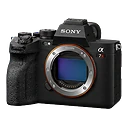
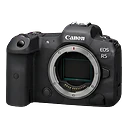
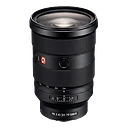
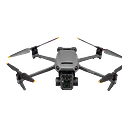
GearDex Desktop 1.2.0 for macOS
Made to feel at home on Mac.
Keep your library and client work close. Pin the records you use most, open Business records beside the page, and move through your workspace with familiar Mac controls.
Release notes- An integrated Mac titlebar with Back and Forward beside the page title.
- Pin records in the context panel and pick up from Recent on this device.
- Keep Business records beside your page with up to six tabs in wide windows (1200 px and up).
- Open Iris with ⌘J, and jump between pages from the native Go menu.
- Drop a photo into the window to open Smart Add, and see unread notifications on the Dock icon.
- Native printing, export downloads, remembered window position, and in-app updates.
Already on Desktop?
Choose Check for Updates from the GearDex menu, follow the percentage, then restart to install or pick Install later.
In your pocket on set.
GearDex runs as an installable app on iPhone and Android. Check a packing list, scan a QR label, or ask Iris what fits your mount, right from the bag.
iPhone & iPad
Open geardex.app in Safari, tap Share, then Add to Home Screen.
Android
Open geardex.app in Chrome, tap the menu, then Install app.
Sign in with the same account and your library, documents, and shoot plans are already there.
System requirements
| Platform | Requirements | How to get it |
|---|---|---|
| Mac | macOS 13 Ventura or later · Apple Silicon (M1 and newer) or Intel | Download GearDex DesktopUpdates in-app |
| iPhone & iPad | Safari on a current version of iOS or iPadOS | Open geardex.app in Safarithen Add to Home Screen · steps |
| Android | Chrome on a current version of Android | Open geardex.app in Chromethen Install app · steps |
| Web | Current Chrome, Safari, Edge, or Firefox | Sign in at geardex.app |
GearDex syncs through the cloud, so an internet connection is required. Every plan, including free Starter, works on every platform.

Make room for your kit.
Sign in with your existing GearDex account and your workspace is there, on every device.
- Free forever plan
- No credit card
- Import from CSV
- Mac & web