
Camera gear locations, down to the case it's in.
Give every item a home: the studio, the Pelican, the car, the storage unit. Then group gear your own way, in categories with your own colors. Each location and category shows what's in it and what it's worth.
- Locations, on every plan
- Unlimited
- Categories on Starter, Pro, Studio
- 10 / 50 / ∞
- Location icons, from studio to beach
- 20
 Ask Iris
What is camera gear location tracking?
Camera gear location tracking records where each piece of equipment is kept, so you can find it and see what's stored in each place. GearDex gives every item one location and any number of categories, and totals the items and value in each, so finding a lens is a lookup instead of a search.
The lens is in a bag. Which bag?
Gear spreads out. The bodies live in the studio, the long glass rides in the car, the drone stays in its case, and a spare battery ends up in a storage unit across town.
When you need one thing, you check all of them.
GearDex puts a location on every item and shows each location's contents, count and value, so you look it up before you drive anywhere.
Find the gear with no home.
The Locations page shows coverage, how much of your kit has a location, and counts what's left as unlocated. Inventory Health flags each of those items as Location missing. Queue them, choose a location, and Apply to queued files them all at once.
- Coverage and unlocated count on Locations
- Location missing flagged per item
- One location applied to the whole queue
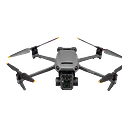
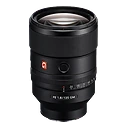
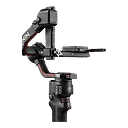
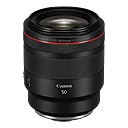
Categories that match how you shoot.
New accounts start with seven categories, like Mirrorless Cameras, Prime Lenses and Photography Drones. Keep them or start from zero, then add your own, like Wedding kit or Travel, each with a color and a description. One item can sit in several categories, so the 35mm can be in Wedding kit and Travel at once.
- Starter categories to keep or remove
- Your own colors and descriptions
- One item, several categories
Locations & categories is included on the free plan.
File a pile of gear in one pass.
Organize Items picks a category, filters the list by type, and lets you tick everything that belongs. Assign files it. A category's own page filters by type, condition and status, removes items in bulk, and can turn the whole category into a Showcase.
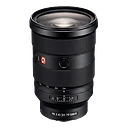
Organized in an afternoon.
Start with the places, then the groups. Most kits need four or five locations.
- Unlimited locations on every plan
- Search gear by location name
- Turn a category into a Showcase
- 01
Import
Add your locations: the studio, each case, the car, storage.
- 02
Organize
Set each item's location, and file anything left over from Inventory Health.
- 03
Maintain
Pick a location when you add gear, or let the default fill it in.
The small print, handled.
Location details
Name, icon, address, notes, and a photo. Mark one as the default for new gear.
Search by place
Search finds gear by its location's name, and locations by name, address or notes.
Category colors
Pick any color with the picker or type a hex code.
Set insights
Average item, most valuable, brands and type mix for each location and category.
Category showcases
Publish a category as a public Showcase from its page.
Team permissions
On Studio, locations and categories each have their own team permission.
Locations & categories on every plan
Included on the free plan. Paid plans raise the limits.
Unlimited locations and categories, with team permissions
Have an account? Sign in
Locations & categories, answered.
More questions? Visit support or contact us.
No. Every plan, including the free Starter plan, has unlimited locations. Categories are capped at 10 on Starter and 50 on Pro, and unlimited on Studio.
Yes. An item has one location, but it can belong to as many categories as you like.
Change the Location field on the item's page or in its edit form. To give a location to many items that don't have one yet, queue them in Inventory Health and apply it in one step.
It stays in your gear library without a location. Nothing else about the item changes.
QR labels are printed per item, not per location. They're part of Pro and open the item's page when scanned.
Works well with
All features- All plansExplore gear library
Gear library
One searchable home for every camera, lens, light, and accessory, with specs, serial numbers, photos, and purchase history.
- Pro+Explore rigs & qr labels
Rigs & QR labels
Group bodies, glass, and support into rigs, then print QR labels that open the item straight from your phone.
- All plansExplore showcases
Showcases
Publish your kit as a public page with retailer links, then see which items people click.

Give every item a home.
Join 900+ photographers, studios, and rental houses who already run their kit on GearDex.
- Free forever plan
- No credit card
- Import from CSV
- Mac & web