

A camera gear list page you'll actually want to share.
Kits are your public gear pages, part of your GearDex Site. Build one for your wedding kit and another for portraits, add retailer links, and see what people click.

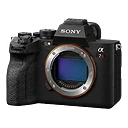
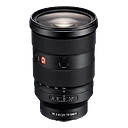
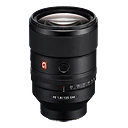
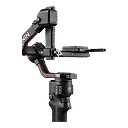
- Kit layouts: grid, list, and a shot-on strip
- 3
- Site themes your kits wear
- 8
- Kits on Studio (1 on Starter, 5 on Pro)
- Unlimited
What is a camera gear list page?
A camera gear list page is a public web page that shows the equipment you use, usually with links to buy each item. A GearDex kit builds that page from your private inventory, so photos, specs, and retailer links stay current, while serial numbers, receipts, and values stay private unless you choose to show them.
“What camera do you use?” deserves a better answer than a DM.
Creators and working photographers get asked about gear constantly. The usual answer is a link-in-bio list that goes stale the day you upgrade, or a pinned post nobody can find.
Meanwhile the real record of your kit lives somewhere else, so every change means updating two places.
Kits publish straight from your GearDex library. Change your gear once, publish your Site, and every page that features it is accurate again.
A page for every kind of work.
One Site, many kits. The Kits tab in Site lists each one with its status, item count and shop links, and a kit opens its editor and exports. Share a Wedding Kit with couples and a Portrait Kit with clients, each at its own link, and keep a kit private until it's ready.
- geardex.app/yourname/wedding-kit
- Password protection and a show-from date
- SEO title and description per kit
 Ask Iris
Links that go somewhere useful.
Site analytics count views, visitors, top pages and referrers for the range you pick, plus Book clicks and the retailer links people follow from your kits, all without cookies.
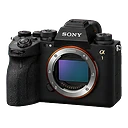
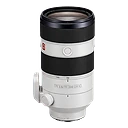
Kits is included on the free plan.
Designed your way, shared anywhere.
Kit pages wear your Site's theme, fonts and colors, so they look like the rest of your site. Add a kit section to any page, then copy the link, export a PDF, or share the gear list as text, Markdown or a YouTube description.
GearDex Sites vs. Linktree, Squarespace, and VSCO One
| Capability | GearDex | Linktree | Squarespace | VSCO One |
|---|---|---|---|---|
| Built from your real inventory | Yes | No | No | No |
| Several kits under one handle | Yes | Sort of | One per page | No |
| Retailer and affiliate links per item | Yes | Yes | Yes | Limited |
| Click analytics per item | Yes | Paid plans | Page views | Limited |
| Book button and contact form | Yes | Links out | Add-ons | Booking link |
| Updates when your kit changes | Yes | No | No | No |
Your gear page live in ten minutes.
If your gear is in GearDex, your kit page is mostly built already.
- One kit free
- Part of your GearDex Site
- Private details stay private
- 01
Import
Add the gear you want to feature, with photos.
- 02
Organize
Create a kit, pick items and add retailer links. It wears your Site's theme.
- 03
Maintain
Share the link and watch what people click. Update the kit, and the page follows.
Make it yours.
Your Site's look
Kits wear whichever of the 8 Site themes you choose, with its fonts and colors.
What to show
Toggle item values, loan status, maintenance status, and documents.
Profile links
Bio, Instagram, X, LinkedIn, website, and a contact button.
Private when needed
Password-protect a kit, or set the date it can first appear (it shows from your next publish after that date).
Kits on every plan
Included on the free plan. Paid plans raise the limits.
Up to 5 kits, 3 retailer links per item, and a custom affiliate disclosure
Unlimited kits, 5 retailer links per item, and creator exports
Have an account? Sign in
Kits, answered.
More questions? Visit support or contact us.
A public camera gear list page on your GearDex Site, at geardex.app/yourname/kit-name. Showcases became kits when they joined Sites: make one per purpose, like Wedding Kit or Street Kit, and share each link with clients or followers.
Yes. Mark any retailer link as an affiliate link. Pro and Studio can add a custom affiliate disclosure.
On Pro you can change your handle once every 30 days, and on Studio once every 7 days.
Kits now live on your GearDex Site, which you can connect to your own domain on Pro and Studio. Old embed links open your Site instead.
Works well with
All features- All plansExplore sites
Sites
A photography website with 8 art-directed themes, a live editor, client galleries, Stories, and inquiries and booking wired into GearDex.
- All plansExplore gear library
Gear library
One searchable home for every camera, lens, light, and accessory, with specs, serial numbers, photos, and purchase history.
- Pro+Explore reports & analytics
Reports & analytics
Collection trends, value by category and brand, insurance and warranty coverage, and Gear Advisor, so decisions come from data, not memory.

Show the world what you shoot with.
Join 300+ photographers, studios, and rental houses who already run their kit on GearDex.
- Free forever plan
- No credit card
- Import from CSV
- Mac, Windows & web