

A camera equipment booking calendar with no double bookings.
Rows are gear, columns are days. See every hold, rental, trip, and service on one board, filter to what's available, out, or in maintenance, and let GearDex block overlapping bookings.
- Hold types: internal, rental, travel, maintenance
- 4
- Reservation statuses
- 5
- Overlapping bookings allowed per item
- 0
 Ask Iris
What is a camera equipment booking calendar?
A camera equipment booking calendar shows when each piece of gear is reserved, checked out, or in service, so a team can book it without conflicts. GearDex's availability board lays items against days, records who is responsible for each handoff, and refuses bookings that would overlap an existing one.
Two shoots, one A-camera, and nobody noticed.
Shared kits get double-booked the same way every time: two producers, two calendars, one body. The conflict shows up on the morning of the shoot, when someone opens an empty case.
Spreadsheets and shared calendars can show bookings. They can't stop the second one.
GearDex checks every reservation against the item's other bookings, loans, and service, and blocks the overlap before it happens.
Handoffs with a name attached.
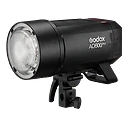
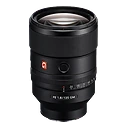
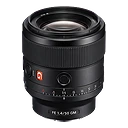
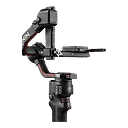
Reserve an item with a title, dates, and a hold type: Internal, Rental, Travel, or Maintenance. The dialog shows the gear, its condition and mount, and a Responsible person. On the day, Hand out checks it out to that person; when it comes back, mark it returned and note its condition.

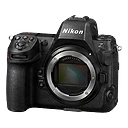
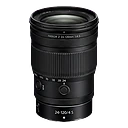

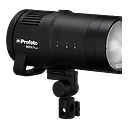
Conflicts, caught at the source.
Two active bookings can't overlap for the same item. Try it and GearDex tells you exactly which booking you'd collide with. Gear that's on loan, in maintenance, or retired can't be reserved, and if someone else edits a booking first, you'll know before you overwrite it.
Availability board is included from Studio. Start free and upgrade when you need it.
The same bookings on the month calendar.
Availability is one view of the Calendar. Switch to Month and every reservation, loan, shoot, service, and warranty date sits on the grid as a colored pill. Filter to one type with the chips, or open a day to see everything on it.
- Month, Agenda, and Availability views
- Shoots, Reservations, Loans, Maintenance, Warranties
- Day panel with every event and its status
GearDex vs. a shared calendar vs. a whiteboard
| Capability | GearDex | Shared calendar | Whiteboard |
|---|---|---|---|
| One row per item | Yes | No | Yes |
| Blocks overlapping bookings | Yes | No | No |
| Named person at handoff | Yes | No | Initials |
| Knows loans and maintenance | Yes | No | No |
| Works when you're off-site | Yes | Yes | No |
Your booking board in ten minutes.
The board fills from your library. Add this week's jobs and you're running.
- 7- and 14-day views
- Team permissions respected
- Manual holds on Pro
- 01
Import
Make sure shared gear is in GearDex, and invite your team.
- 02
Organize
Reserve gear for upcoming jobs with titles and hold types.
- 03
Maintain
Hand out, return, and let conflicts get caught for you.
How it fits with the rest of GearDex.
One calendar
Shoots, reservations, loans, maintenance, and warranties share a calendar.
Team permissions
The board respects who can read loans and maintenance.
Quick create
Schedule a shoot, create a loan, or book maintenance from any date.
Holds on Pro
Pro can place manual holds from an item's page. The board is Studio.
Availability board on every plan
Included from Studio. Start free and upgrade when you need it.
The full availability board with handoffs and conflict checks
Have an account? Sign in
Availability board, answered.
More questions? Visit support or contact us.
Active reservations for the same item can't overlap. If you try, GearDex tells you which booking it conflicts with. Items on loan, in maintenance, or retired can't be reserved.
Handing gear out checks the reservation out to a named responsible person. When it's returned, you add notes and GearDex records the time.
Pro can place manual holds on individual items. The shared board, handoffs, and team view are part of Studio.
Works well with
All features- StudioExplore loans & lending
Loans & lending
Track every item you lend: who has it, when it's due, and what fee applies, with automatic overdue alerts.
- StudioExplore maintenance
Maintenance
Log cleanings, repairs, and sensor service, and get reminded before a lens is due for attention.
- All plansExplore shoot planning
Shoot planning
Plan every job in one place: shot lists, locations, call sheets, timelines, weather, and the gear assigned to it.

Stop double-booking bodies.
Join 900+ photographers, studios, and rental houses who already run their kit on GearDex.
- Free forever plan
- No credit card
- Import from CSV
- Mac & web