
A camera rig builder, with QR labels for everything in it.
Group bodies, glass, and support into rigs and kits, with weight and value worked out for you. Lend a kit as one loan, and print QR labels that open each item's record from your phone.
- Avery sheets: 5160, 5163, and 22806
- 3
- Holds every item in a kit
- 1 loan
- Weight limit per rig
- kg / lb
What is a camera rig builder?
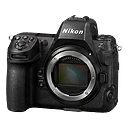
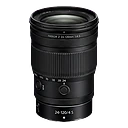
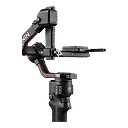
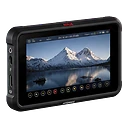
A camera rig builder groups the individual items that work together, like a body, lens, cage, monitor, and gimbal, into one named rig. GearDex totals the rig's weight against a limit you set, adds up its purchase and market value, and lets you reuse, duplicate, or lend the whole setup.
A rig is more than the sum of its rows.
On set, nobody thinks in individual items. You grab the run-and-gun rig or the interview kit. But inventory lists only know single items, so the weight, the value, and what's missing from the setup are all in someone's head.
And when a case is packed, there's no quick way to check what's inside without opening every pouch.
GearDex models rigs and kits the way you use them, and puts a scannable label on every item so the record is one phone scan away.
Rigs that add themselves up.
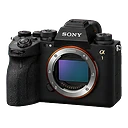
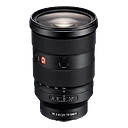
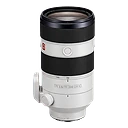
Fill the Body, Lens, and Accessories slots from your library. Payload Capacity compares the total weight with the limit you set, the Weight Summary itemizes every gram, and the Value Summary shows purchase total, market value, and appreciation for the whole rig.
- Over-capacity warning at 100%
- Kits with a rental fee per day, week, or project
- Batteries, cards, and tape packed as kit consumables
 Ask Iris
Lend the kit, not a list.
Check Out on a kit's page lends everything in it as one loan: one borrower, one due date, and a hold on every item so nothing in the kit gets booked elsewhere. Consumables packed with the kit leave stock as it goes out. From the same page, Spot Check counts what's in the case, Carnet builds the customs list, and Print Labels makes a sheet for the whole kit.
- One kit per loan on Pro; many items and kits per loan on Studio
- Return it all, or only what came back, on Studio
- Rentable kits on your gear rental page, on Studio
Rigs & QR labels is included from Pro. Start free and upgrade when you need it.
Labels that open the record.
Open any item and print its QR label, free on every plan. Pick Single, Equipment tag, or one spot on an Avery 5160 sheet, check the preview with the name, serial number, and type, then print it or save it as an image. Scanning the label with a phone opens that item's page in GearDex.
- Free on every plan, including Starter
- Saved as a PNG named after the item
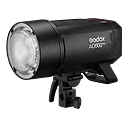
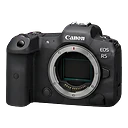
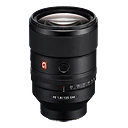
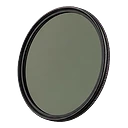
A sheet of labels for the whole shelf.
Label Sheet in the Gear Library puts a different item or kit in every cell. Pick from your library, add a whole kit or everything in a location, choose the Avery sheet, and start at any label so a half-used sheet isn't wasted. Kit labels open the kit.
- Avery 5160: 30 labels, 1" × 2⅝"
- Avery 5163: 10 labels, 2" × 4"
- Avery 22806: 12 square labels, 2" × 2"
Your first rig, labelled in ten minutes.
Start with the setup you use most. Once it's built, labels and packing come for free.
- Rigs and kits on separate tabs
- Three Avery sheet formats
- Kit loans on Pro
- 01
Import
Make sure the gear is in your library, with weights where you have them.
- 02
Organize
Build the rig or kit, set a weight limit, and check the value summary.
- 03
Maintain
Print labels, stick them on, and scan to check status on set.
Made for bags, cases, and carts.
Over-capacity warning
Know before the gimbal does. Set limits in kilograms or pounds.
Print or save
Print labels directly or save each one as a PNG named after the item.
Scan from the set
Any phone camera opens the item's page in GearDex.
Rigs and kits
Rigs for how gear is built, kits for how it goes out the door.
Spot check
Scan or tick everything in a kit to confirm the case is complete.
Consumables
Batteries, cards, and tape packed with a kit come out of stock when it goes out.
Rigs & QR labels on every plan
Included from Pro. Start free and upgrade when you need it.
Rig builder and kits, label sheets, kit loans, spot checks, and carnet lists
Everything in Pro, plus multi-item check-outs, partial returns, and a gear rental page
Have an account? Sign in
Rigs & QR labels, answered.
More questions? Visit support or contact us.
A rig is how gear is built together, like a body, lens, cage, and monitor. A kit is a group you send out together, and it can carry a rental fee per day, week, or project.
On every plan, any item prints a single label, an equipment tag, or one label on an Avery 5160 sheet. On Pro, Label Sheet fills a whole sheet with different items and kits: Avery 5160 (30 labels, 1" × 2⅝"), 5163 (10 labels, 2" × 4"), or 22806 (12 square labels, 2" × 2").
An item label opens that item's page in GearDex, with its specs, serial number, documents, and status. A kit label opens the kit.
Yes. Check Out on a kit's page lends every item in it as one loan and holds them all until it's back, consumables included. Pro keeps up to 3 loans open at a time, each one item or one kit. Studio puts any mix of items and kits on one loan.
Works well with
All features- Pro+Explore packing & readiness
Packing & readiness
Packing manifests and readiness checks built from the shoot plan, so you know the bag is complete before you leave.
- Pro+Explore loans & lending
Loans & lending
Scan gear out and back in, get loans signed for, and see who has what, when it's due, and what fee applies, with automatic overdue alerts.
- All plansExplore gear library
Gear library
One searchable home for every camera, lens, light, and accessory, with specs, serial numbers, photos, and purchase history.

Build it once. Scan it forever.
Join 300+ photographers, studios, and rental houses who already run their kit on GearDex.
- Free forever plan
- No credit card
- Import from CSV
- Mac, Windows & web