

Import your camera gear spreadsheet. Or just type out the name.
Paste a messy list or snap a photo, and Smart Add turns it into complete gear records. Moving from a spreadsheet? Import cameras, lenses, accessories, filters, and drones from CSV with row-level validation.

- Items per Smart Add paste
- 40
- CSV templates, one per gear type
- 5
- Per item added with Iris
- 1 credit
What is Smart Add?
Smart Add is GearDex's AI-assisted way to add gear. You paste a plain-text list or take a photo, and it identifies each item, fills in brand, model, specs, and purchase details, scores its confidence in every field, and checks for duplicates, so you review and save instead of typing each record by hand.
Nobody wants to type 60 rows twice.
The biggest reason photographers stay on a spreadsheet is the spreadsheet itself. Years of rows, half-filled columns, and notes like “the good 50mm” feel too expensive to move.
And starting from zero is worse. Typing specs for every body and lens is exactly the admin you were trying to escape.
GearDex meets you where your list already is: a CSV you can import with templates and validation, or a few lines of text Smart Add can read.
Write it the way you'd say it.
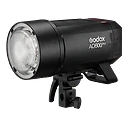
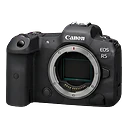
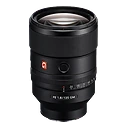
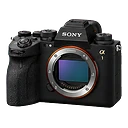
“Canon R5, bought last month for $3,500.” Smart Add reads plain text, splits it into items, and fills in brand and model. “2x Godox AD200 Pro” becomes two rows. Everything lands in a review table with a type, brand, and model per row, and flags like “Possible duplicate” or “Check this” before you add anything.
- Paste up to 40 items and 8,000 characters at once
- Or switch to Photo and let Iris identify the kit
- Untick anything you don't want, then Add
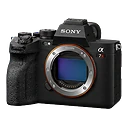
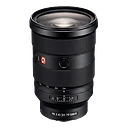
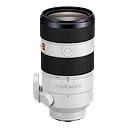
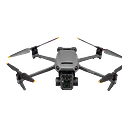
Confident where it can be. Honest where it can't.
Iris scores every field it fills in, from what you typed, what it found on the web, and what it inferred. Anything it isn't sure of gets a flag beside that field, so you check the one date instead of re-reading the whole record. A likely duplicate of something you already own is listed with its match score and a link, and saving waits until you've reviewed it.
Smart Add & import is included on the free plan.
Bring the spreadsheet with you.
Download the template, paste your rows in, and upload. Before anything is created, the review screen counts total, valid, and invalid rows and highlights the exact field that's missing, so you fix it in place or import the valid rows and retry the rest from the error report.
- Brand, model, and condition are required
- Dates use YYYY-MM-DD
- Failed rows download as a CSV error report
GearDex vs. Google Sheets, Excel, Apple Notes, and MyGearVault
Getting a kit list in is where most tools give up.
| Capability | GearDex | Google Sheets | Excel | Apple Notes | MyGearVault |
|---|---|---|---|---|---|
| Specs filled in for you | Yes | No | No | No | Name lookup |
| Paste a whole list at once | Yes | Into cells | Into cells | As text | No |
| Checked before it's saved | Yes | Rules you build | Rules you build | No | No |
| Duplicate check against your kit | Yes | Exact matches | Exact matches | No | No |
| Works from a photo | Yes | No | Tables only | Scans text | No |
| Time for 50 items | Minutes | An hour | An hour | An evening | An evening |
From a list in your notes to a full library, in ten minutes.
Start with whatever you have. You can mix methods: import the spreadsheet, then Smart Add the gear that never made it in.
- CSV templates for every gear type
- Error report for rows that fail
- Export back out as ZIP, JSON, or CSV
- 01
Import
Upload a CSV per gear type, or paste a list into Smart Add.
- 02
Organize
Review flagged fields, answer clarifications, and assign categories.
- 03
Maintain
Add new purchases the same way, in a sentence, as they arrive.
Small things that save an afternoon.
Photo mode
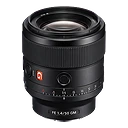
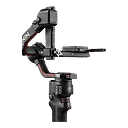
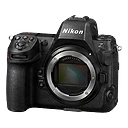
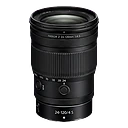
Use the camera on mobile. Smart Add can find several items in one photo.
Per-type templates
Separate CSV templates for cameras, lenses, accessories, filters, and drones.
Duplicate check
Matches brand, model, and serial against your kit, and links to the existing item.
Export any time
Take everything back out: a full account ZIP with your files, JSON records, or CSV for all gear or one type.
Smart Add & import on every plan
Included on the free plan. Paid plans raise the limits.
Smart Add within 25 AI actions a week, plus CSV import
Have an account? Sign in
Smart Add & import, answered.
More questions? Visit support or contact us.
Yes. Save it as CSV using the template for each gear type, then upload. Brand, model, and condition are required; every other column is optional.
One AI credit per physical item, so “2x Godox AD600 Pro” uses two. Starter includes 25 AI actions a week, Pro 150, and Studio is unlimited.
Valid rows import right away. Rows that fail validation are listed with the reason and can be downloaded as an error report to fix and re-upload.
Smart Add checks new items against your inventory by brand, model, and serial number and flags likely duplicates before you save.
Works well with
All features- All plansExplore gear library
Gear library
One searchable home for every camera, lens, light, and accessory, with specs, serial numbers, photos, and purchase history.
- All plansExplore Iris
Iris AI agent
Ask in plain English. Iris searches your inventory, checks lens-to-camera compatibility, finds the best prices, and writes gear descriptions.
- Pro+Explore documents & warranties
Documents & warranties
Receipts, warranty cards, insurance policies, and manuals linked to the gear they belong to, with alerts before coverage lapses.

Your whole kit, in minutes.
Join 900+ photographers, studios, and rental houses who already run their kit on GearDex.
- Free forever plan
- No credit card
- Import from CSV
- Mac & web