Photography CRM vs. Gear Management Software: Which Do You Need?
A photography CRM manages client relationships. Gear management software tracks equipment, readiness, maintenance, loans, and shoot assignments. Learn where each belongs.
 Dylan AndersenPublished 8 min read
In this guide
The short answer
A photography CRM manages the client side of the business: leads, communication, proposals, contracts, invoices, and follow-up. Gear management software manages the equipment side: identity, serial numbers, documents, value, location, availability, maintenance, loans, and shoot assignments. Many working photographers need both, but the systems solve different failures.
What is the difference between a photography CRM and gear software?
The boundary is simple: a CRM follows the relationship with the client, while gear software follows the physical equipment. The client may move from inquiry to booked to delivered. A camera may move from storage to assigned, packed, on location, returned, and then into service.
| Workflow | Photography CRM | Gear management software |
|---|---|---|
| Lead and inquiry | Core job | Usually out of scope |
| Proposal and contract | Core job | Usually out of scope |
| Client communication | Core job | Contact may appear in a shoot plan |
| Serial numbers and receipts | Usually a note or custom field | Core job |
| Equipment availability | Rarely item-level | Core job |
| Loans and maintenance | Usually out of scope | Core job |
| Shot list and call sheet | Varies | Useful when tied to assigned gear |
When do you need a photography CRM?
A CRM becomes useful when client follow-up is the weak link. If inquiries disappear in email, contracts wait for signatures, invoices are hard to reconcile, or no one knows which clients need a response, fix that pipeline first.
Choose a CRM around the way you sell and deliver work. Wedding, commercial, portrait, school, and real-estate studios have different intake and communication needs. The best CRM is the one the whole client-facing workflow can follow without side notes.
- Lead control
- Capture inquiries, source, status, next action, and responsible person.
- Sales documents
- Send proposals, contracts, questionnaires, and invoices with a clear audit trail.
- Communication
- Keep client messages and scheduled follow-ups attached to the job.
- Delivery
- Track milestones from booking through final files and post-project follow-up.
When do you need camera gear management software?
Gear software becomes useful when the physical kit is the weak link. Warning signs include missing serials, receipts stored in scattered folders, duplicate purchases, unclear locations, forgotten loans, service conflicts, and packing lists rebuilt for every job.
The trigger can be value, movement, or dependency. A small cinema rig with twelve required adapters may deserve structured tracking even if the studio owns only one camera body.
- Ownership
- You need a defensible record of what the business owns and what it paid.
- Availability
- Bookings depend on whether specific items are loaned, assigned, or in service.
- Readiness
- Maintenance, documents, power, media, and supporting parts affect the shoot.
- Team handoff
- Assistants or studio staff need the same location and status information.
How should the two systems work together?
Use one shared job identifier or exact project name across both systems. The CRM remains the record for the client relationship. The gear system remains the record for equipment and production readiness. Link or reference the job rather than copying the full client record into both places.
Define the handoff. When a CRM job becomes confirmed, create the shoot plan. When the plan identifies the required setup, assign gear or a reusable rig. When production closes, return gear, record damage or service needs, and mark the equipment ready for the next booking.
- 01
Booked
The CRM confirms scope, client, date, and commercial terms. - 02
Planned
The production record adds locations, timing, people, shot list, and call sheet. - 03
Assigned
The gear system reserves the kit and exposes availability conflicts. - 04
Returned
The team checks equipment back in and logs damage or maintenance. - 05
Closed
The CRM completes client delivery while gear records retain the operational history.
Is GearDex a photography CRM?
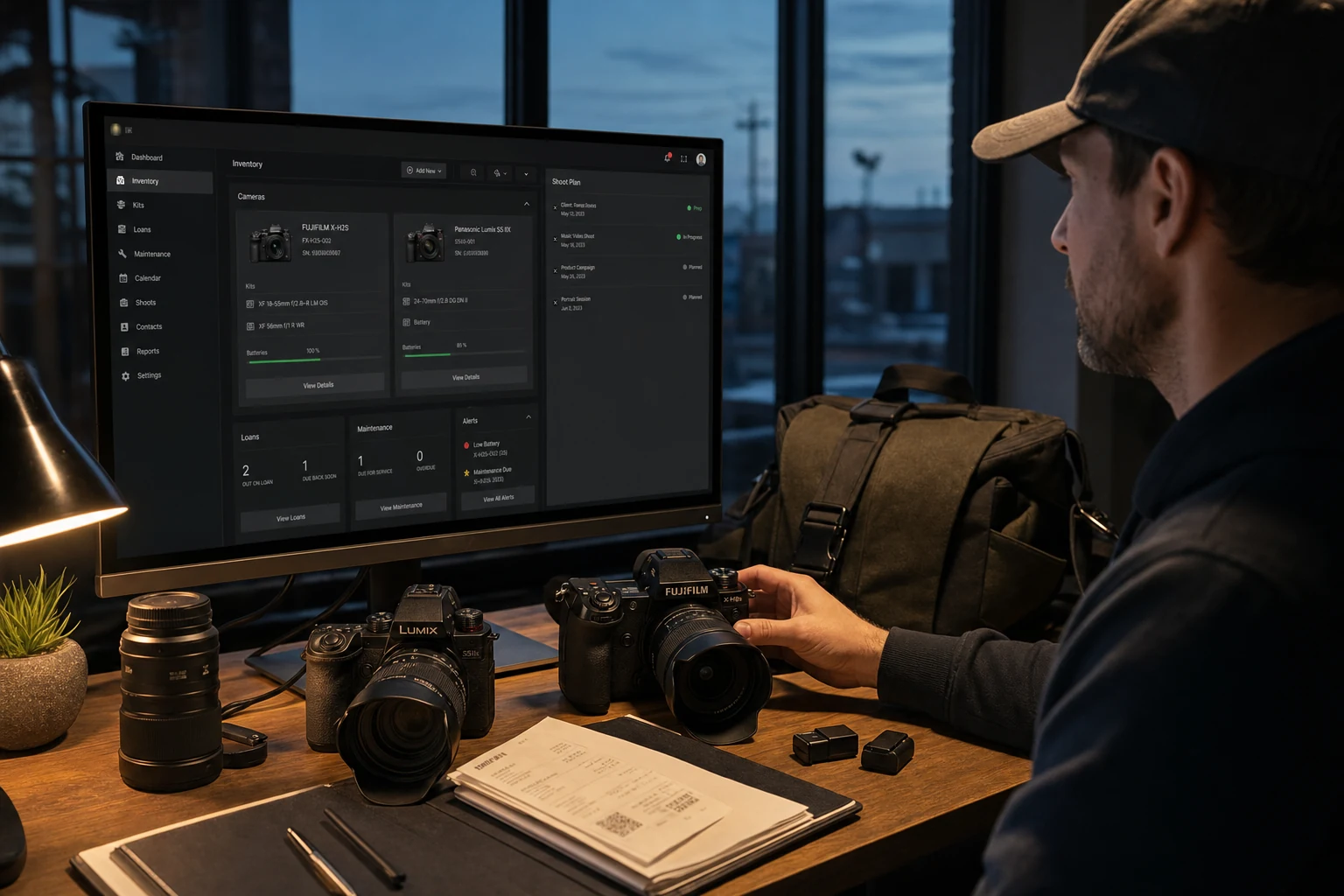
GearDex is centered on gear operations and shoot readiness, not on running a full lead pipeline. It tracks equipment, values, documents, locations, categories, loans, maintenance, reports, rigs, and shoot plans. A shoot plan can hold client and production details, but a dedicated CRM may still be the better home for inquiries and sales follow-up.
That distinction matters. Choosing software by the label “all in one” often creates one crowded system that is mediocre at both jobs. Keep each source of truth clear, then make the handoff boring and repeatable.
Frequently asked questions
Does a solo photographer need a CRM and gear manager?
Only if both client follow-up and equipment operations need structure. Start with the workflow causing missed work, lost time, or financial risk, then add the second system when the handoff becomes real.
Can a photography CRM track camera equipment?
Custom fields can hold a basic list, but most CRMs do not model serial numbers, receipts, locations, loans, service history, values, or item-level availability well.
Is GearDex a client management system?
GearDex can store client and production details inside shoot plans, but its core is photography gear inventory, readiness, documents, loans, maintenance, reports, and shoot assignment.
What should happen when a client books a shoot?
Create the production plan from the confirmed scope, assign locations and people, map the shot list, reserve the required gear, and set a readiness deadline before call time.