What Size Lens Filter Do I Need? Step-Up Rings Explained
Read the filter-thread marking correctly, choose the right step-up ring, and use one larger filter across several lenses without buying the wrong adapter.
 Dylan AndersenPublished 9 min read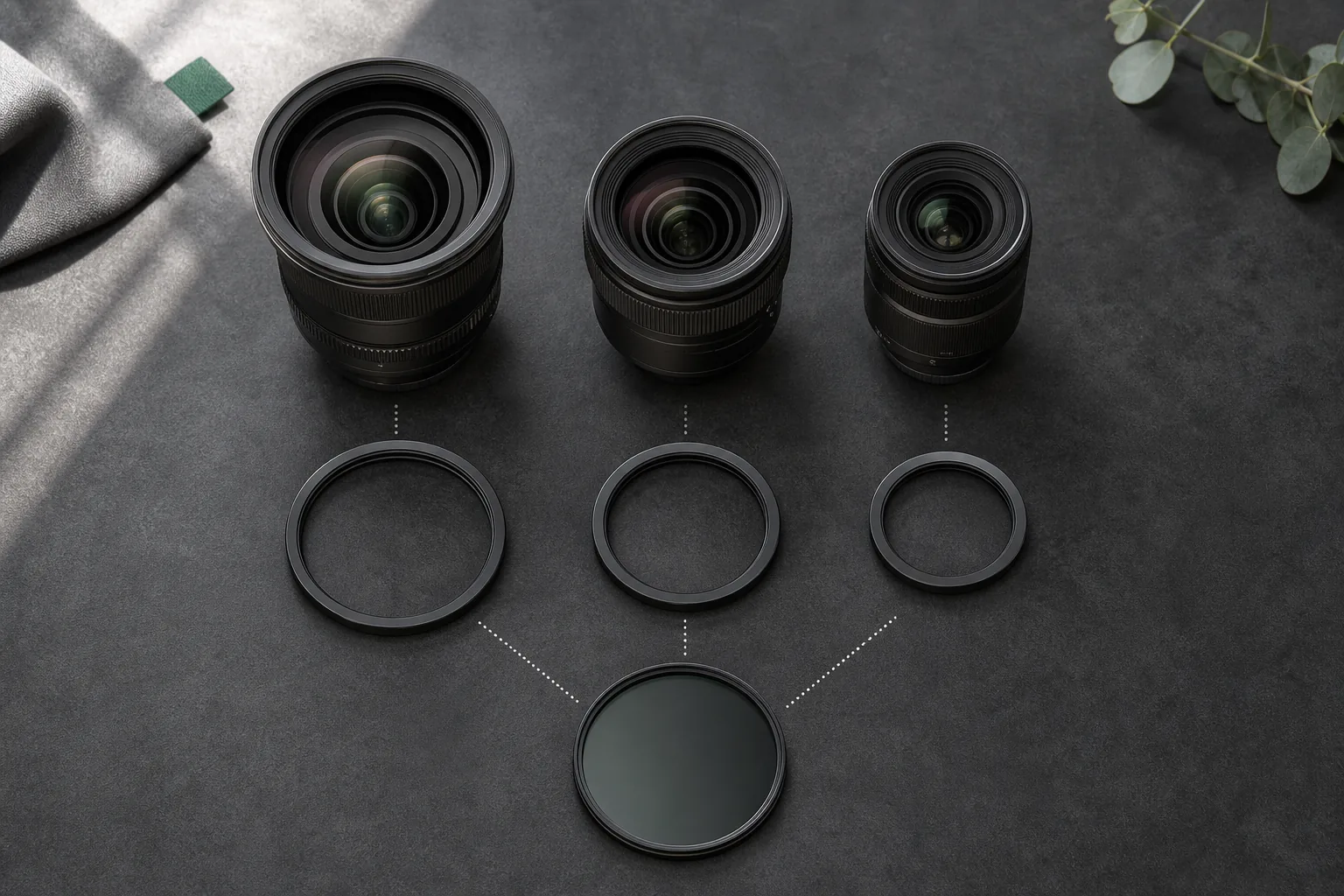
In this guide
- Where do you find the filter size on a lens?
- How do step-up ring sizes work?
- Should you use a step-up ring or a step-down ring?
- Can a step-up ring cause vignetting?
- What do you give up when you standardize on one large filter?
- How do you choose one filter size for several lenses?
- What should you record about filters and step-up rings?
- Frequently asked questions
The short answer
Use the filter-thread diameter marked with the Ø symbol on the front or barrel of the lens, not its focal length. A 67–82mm step-up ring mounts on a 67mm lens and accepts an 82mm filter. The lens-side number comes first; the filter-side number comes second.
Where do you find the filter size on a lens?
Look for a number beside the diameter symbol, Ø, on the front ring, barrel, lens cap, product page, or manual. A marking such as Ø67 means the lens takes a 67mm screw-in filter. Nikon's lens-filter guide points photographers to the size printed on the lens or listed in its manual.
Do not use the larger focal-length number printed on the barrel. A 50mm lens may take a 49mm, 52mm, 58mm, or another filter size. Focal length describes angle of view. Filter diameter describes the threaded opening at the front.
| Marking | What it means | What to buy |
|---|---|---|
| 50mm f/1.8 | Focal length and maximum aperture | Not enough information to choose a filter |
| Ø67 | 67mm front filter thread | A 67mm filter or a step-up ring that starts at 67mm |
| 67–82mm ring | 67mm lens side and 82mm filter side | An 82mm filter |
How do step-up ring sizes work?
Read a step-up ring from the lens outward. The first number matches the lens thread. The second matches the larger filter. A 52–77mm ring attaches to a 52mm lens and accepts a 77mm filter. Turn those numbers around and you are shopping for a different part.
The manufacturer's listing should state the same direction. For example, Urth's adapter instructions describe the lower value as the lens-thread diameter and the higher value as the filter size. Check the diagram or description whenever a seller uses a different naming convention.
| Lens thread | Filter you own | Ring to use |
|---|---|---|
| 46mm | 82mm | 46–82mm step-up ring |
| 49mm | 67mm | 49–67mm step-up ring |
| 52mm | 77mm | 52–77mm step-up ring |
| 58mm | 67mm | 58–67mm step-up ring |
| 67mm | 82mm | 67–82mm step-up ring |
| 72mm | 82mm | 72–82mm step-up ring |
| 77mm | 82mm | 77–82mm step-up ring |
| 82mm | 82mm | No ring needed |
Should you use a step-up ring or a step-down ring?
Use a step-up ring when the filter is larger than the lens thread. This is the common way to share an expensive polarizer or neutral-density filter across lenses. A step-down ring mounts a smaller filter on a larger lens opening, placing a physical restriction in front of the lens.
That smaller opening can enter the image area, especially on a wide lens, and darken the corners. A step-down ring can work in some narrow-angle setups, but it is a poor default for a mixed kit. If you already own the smaller filter, test it at every focal length and aperture you plan to use before depending on it.
Can a step-up ring cause vignetting?
A single thin step-up ring to a larger filter is less likely to block the frame than a smaller filter, but no adapter is immune. Thick filter frames, stacked filters, several nested rings, very wide focal lengths, and some lens constructions can still darken the corners. Test the exact lens, focal length, filter, and ring combination.
Nikon also cautions that stacked filters increase the risk of vignetting and image-quality loss. Keep the front stack short. If you need a large jump, one direct ring usually makes more sense than a tower of 52–58, 58–67, 67–77, and 77–82mm adapters.
- 01
Mount one ring
Use the thinnest direct adapter that reaches the target filter size. - 02
Set the widest view
Zoom to the shortest focal length or mount the widest prime the setup must support. - 03
Inspect every corner
Photograph an evenly lit wall or sky and compare the frame with and without the filter stack. - 04
Repeat at working settings
Test the apertures, focus distances, stabilization, and filter rotations you will use. - 05
Save the result
Record combinations that pass and combinations that crop, vignette, bind, or block controls.
What do you give up when you standardize on one large filter?
The shared filter becomes larger, heavier, and more expensive than the smallest lenses require. The original hood may no longer fit. The original lens cap may not fit while the ring is mounted, and some variable ND filters use an oversized front rim that needs its own cap. Gimbals and matte boxes may also need rebalancing or another adapter.
Threads can bind when two metal rings are overtightened. Start each ring gently, stop if it crosses the thread, and tighten only enough to seat it. A knurled edge is easier to grip. Material preference matters less than accurate machining and a ring you can remove in the field without pliers.
- Lens hood
- The native hood often cannot mount over a step-up ring and larger filter.
- Front cap
- Carry a cap that fits the filter or adapter left on the lens.
- Balance
- A large filter and ring can change a small lens's gimbal balance.
- Access
- Check whether the adapter blocks controls or makes a rotating filter hard to reach.
- Storage
- Protect the shared filter in a rigid case and keep each ring in a named slot.
How do you choose one filter size for several lenses?
List the thread diameter of every lens that needs the filter. Find the largest size in that working set, then decide whether that size will cover the next likely lens purchase. Buying an 82mm system for three small primes may add cost and bulk you never recover. Buying 67mm filters before adding a 77mm event zoom creates another replacement cycle.
Keep the decision tied to working kits. A compact travel rig may standardize at 67mm while a video rig standardizes at 82mm. GearDex can keep each lens's filter size beside its other specifications, then group the lens, filter, adapter, cap, and hood in the same reusable rig. The mixed-system kit guide uses the same idea for mounts, batteries, media, and support parts.
- 01
List the real lenses
Include the lenses that use this filter type, not every lens you might own someday. - 02
Record each thread
Copy the Ø marking from the lens and verify it against the manual or manufacturer page. - 03
Choose the target
Use the largest sensible thread in the working kit, with one likely near-term purchase in mind. - 04
Buy direct rings
Match each smaller lens directly to the target size. - 05
Test and label
Check corners, hoods, caps, handling, and storage, then save the proven combination.
What should you record about filters and step-up rings?
Record filter type, diameter, strength, coating or series, purchase details, current location, compatible lenses, and the ring each lens requires. Add the cap and case if losing either one would leave the filter exposed. For variable ND filters, record any front-cap size that differs from the rear thread.
Start with the lenses in front of you. Add their thread sizes to a free camera gear inventory, then check which filters can be shared before you order another piece of glass.
Frequently asked questions
Is lens filter size the same as focal length?
No. Focal length describes angle of view. Filter size is the diameter of the threaded opening at the front of the lens and is usually marked with the Ø symbol.
What does a 67–82mm step-up ring mean?
The ring mounts on a lens with a 67mm filter thread and accepts an 82mm filter. The lens-side number comes first.
Can I use an 82mm filter on a 67mm lens?
Yes, with a 67–82mm step-up ring. Check hood, cap, control access, and corner shading with the exact lens and filter.
Can I use a 67mm filter on an 82mm lens?
A step-down ring can make the threads connect, but the smaller filter may block the image area and vignette, especially on wide lenses. Test it before relying on the combination.
Do step-up rings reduce image quality?
The ring contains no glass, but the full setup can still affect the image if it causes vignetting, adds reflections through stacked filters, or places a poor filter in front of the lens.
Should I stack several step-up rings?
One direct ring is usually thinner and easier to handle than several nested rings. A tall stack increases bulk, binding points, and the chance of corner shading.